Mastering Dynamic Web Scraping with Puppeteer.js: A Comprehensive Guide

Introduction to Dynamic Web Scraping
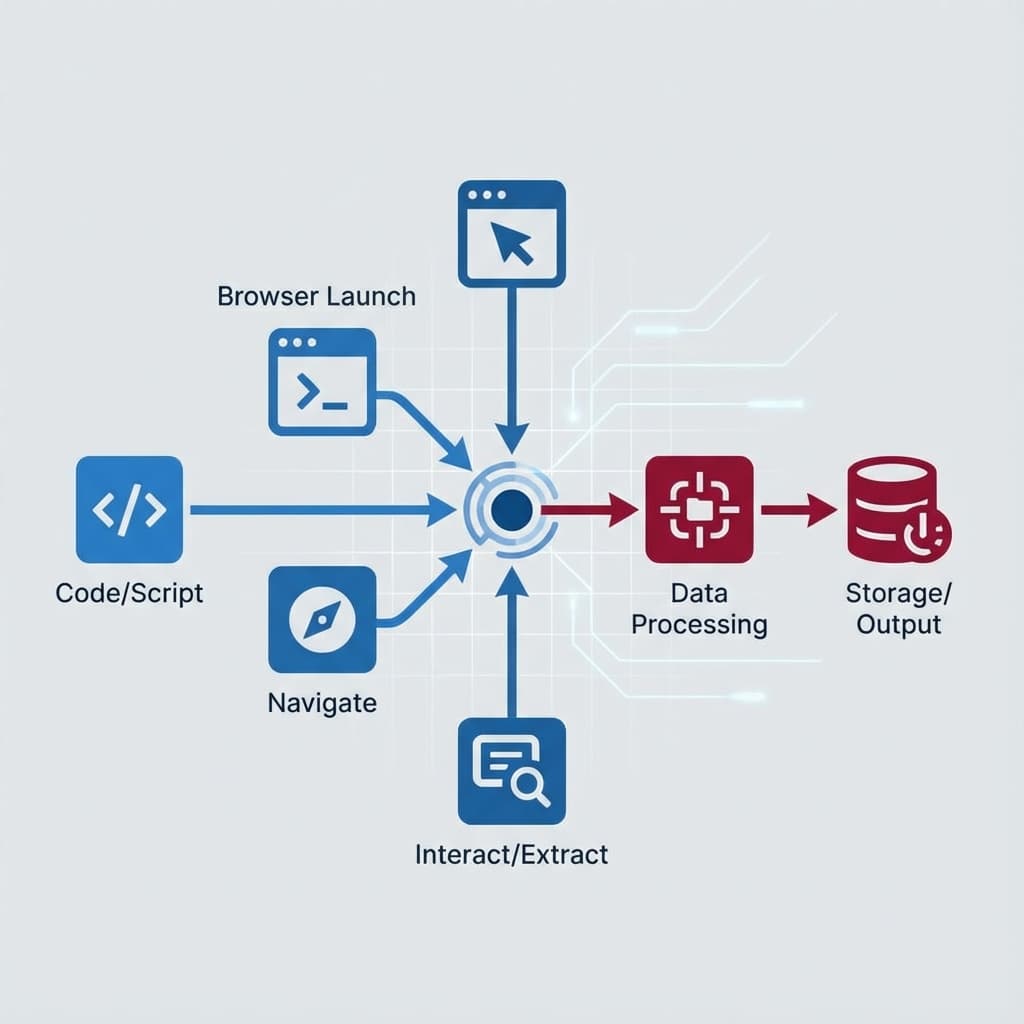
Web scraping is a technique used to extract data from websites. While traditional scraping methods work well for static content, dynamic websites that rely on JavaScript to render content require a different approach. This is where Puppeteer.js comes into play. Puppeteer is a Node.js library that provides a high-level API to control Chrome or Chromium over the DevTools Protocol. It is particularly useful for scraping dynamic web content, automating form submissions, and generating screenshots or PDFs of web pages.
Why Use Puppeteer.js for Web Scraping?
Puppeteer.js offers several advantages for web scraping:
- Headless Browser Control: Puppeteer can run Chrome in headless mode, making it ideal for server-side scraping without a graphical interface.
- JavaScript Rendering: Unlike traditional HTTP request-based scrapers, Puppeteer can execute JavaScript, allowing it to scrape content generated dynamically.
- Automation Capabilities: Puppeteer can automate interactions like clicking buttons, filling forms, and navigating pages, which is essential for scraping modern web applications.
- Performance: Puppeteer is optimized for performance, making it suitable for large-scale scraping tasks.
Setting Up Puppeteer.js
Before diving into scraping, you need to set up Puppeteer in your project. Follow these steps:
Installation
First, initialize a Node.js project and install Puppeteer:
npm init -y
npm install puppeteer
Basic Configuration
Create a new JavaScript file (e.g., scraper.js) and add the following code to launch a browser instance:
const puppeteer = require('puppeteer');

(async () => {
  const browser = await puppeteer.launch();
  const page = await browser.newPage();
  await page.goto('https://example.com');
  await browser.close();
})();
Scraping Dynamic Content with Puppeteer
Now that Puppeteer is set up, let’s explore how to scrape dynamic content. Below are some practical examples.
Example 1: Extracting Data from a Dynamic Website
Suppose you want to scrape product prices from an e-commerce site that loads prices dynamically using JavaScript. Here’s how you can do it:
const puppeteer = require('puppeteer');

(async () => {
  const browser = await puppeteer.launch();
  const page = await browser.newPage();
  await page.goto('https://example-ecommerce-site.com');

  // Wait for the dynamic content to load
  await page.waitForSelector('.product-price');

  // Extract the prices
  const prices = await page.evaluate(() => {
    const priceElements = document.querySelectorAll('.product-price');
    return Array.from(priceElements).map(el => el.textContent.trim());
  });

  console.log(prices);
  await browser.close();
})();
Example 2: Handling Infinite Scroll
Many modern websites use infinite scroll to load content as the user scrolls down. Puppeteer can simulate scrolling to scrape all the data:
const puppeteer = require('puppeteer');

(async () => {
  const browser = await puppeteer.launch();
  const page = await browser.newPage();
  await page.goto('https://example-infinite-scroll-site.com');

  // Scroll to the bottom of the page multiple times
  for (let i = 0; i < 5; i++) {
    await page.evaluate(() => {
      window.scrollBy(0, window.innerHeight);
    });
    await page.waitForTimeout(2000); // Wait for new content to load
  }

  // Extract the data
  const items = await page.evaluate(() => {
    const itemElements = document.querySelectorAll('.item');
    return Array.from(itemElements).map(el => el.textContent.trim());
  });

  console.log(items);
  await browser.close();
})();
Real-World Use Cases
Puppeteer.js is not just for scraping; it has a wide range of applications in real-world scenarios:
1. Competitor Price Monitoring
Businesses can use Puppeteer to monitor competitors’ prices in real-time, allowing them to adjust their pricing strategies dynamically.
2. Automated Testing
Puppeteer is widely used for automated testing of web applications. It can simulate user interactions and verify that the application behaves as expected.
3. Content Aggregation
News websites and content aggregators can use Puppeteer to scrape articles, headlines, and other dynamic content from various sources.
4. SEO Monitoring
SEO professionals can use Puppeteer to scrape search engine results pages (SERPs) and monitor their website’s ranking for specific keywords.
Best Practices for Scraping with Puppeteer
While Puppeteer is powerful, it’s essential to follow best practices to ensure efficient and ethical scraping:
- Respect Robots.txt: Always check the website’s
robots.txtfile to ensure you’re allowed to scrape the content. - Rate Limiting: Avoid sending too many requests in a short period to prevent overloading the server.
- User-Agent Rotation: Use different user agents to mimic requests from various browsers and devices.
- Error Handling: Implement robust error handling to manage network issues or changes in the website’s structure.
- Headless Mode: While headless mode is efficient, sometimes running the browser in non-headless mode can help debug issues.
Conclusion
Puppeteer.js is a versatile tool that opens up new possibilities for web scraping, especially for dynamic content. By leveraging its capabilities, you can extract data from even the most complex websites, automate interactions, and gather insights that were previously difficult to obtain. Whether you’re a developer, data scientist, or business analyst, mastering Puppeteer can significantly enhance your web scraping toolkit.